


TIME WARP SCAN: Face Scanner
4.62.36K Reviews
App Specs
- Version
- 6.8.3.1
- Updated On
- License
- Free
- Downloads
- 10,000,000+
- Developer
- ZipoApps
- Categories
- Photography
- Platform
- Android, iOS
Screenshots
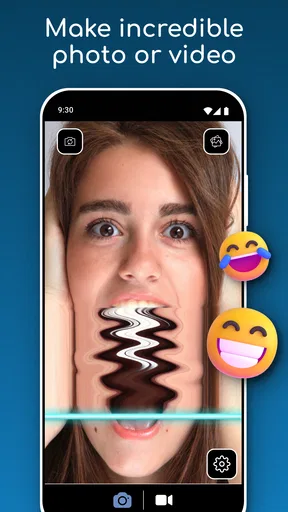
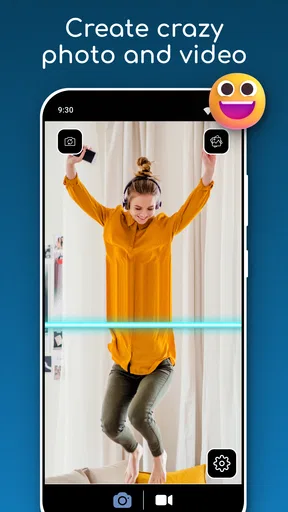
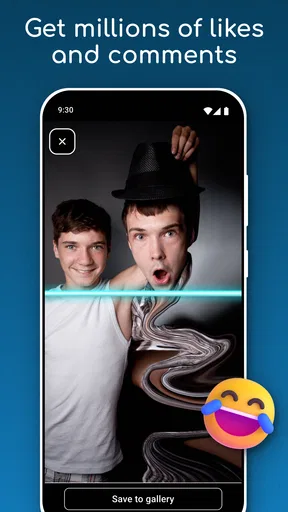
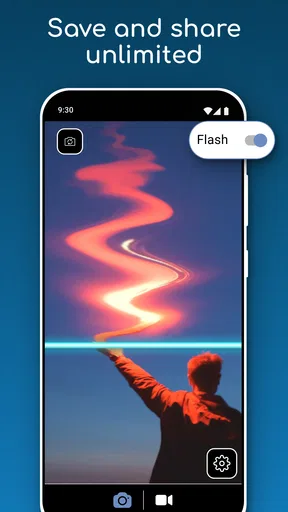
 Analysis by AppCompare
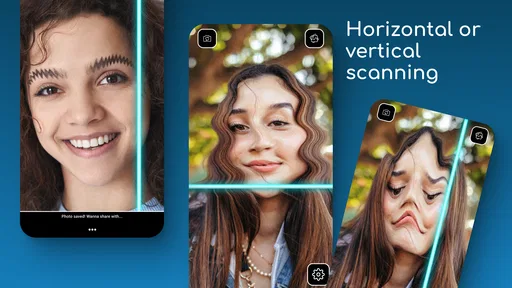
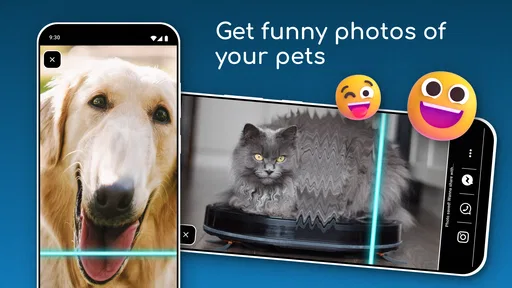
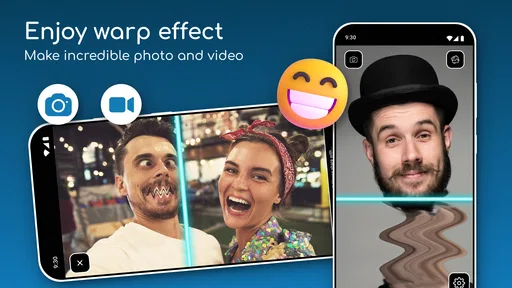
I’m always interested in camera effects that turn a quick, ordinary moment into something playful, and a moving scan line is a particularly simple idea with surprisingly varied results. TIME WARP SCAN: Face Scanner is a photography app from ZipoApps built around that effect: as the line travels across the image, movement can make faces and other subjects look stretched or oddly reshaped. It is best approached as a light creative toy, not as a full photo editor or a serious camera replacement.
What the effect is good for
The appeal is that you do not need to plan a polished shot. A friend turning their head, raising an eyebrow, or changing expression while the scan passes can produce a result that feels different each time. I’d use it for a quick joke in a group chat, a playful portrait, or a short creative break when I have a few spare minutes. The fun comes from trying a small movement, seeing how the scan catches it, and then adjusting the timing for another attempt.
That makes the app a better fit for people who enjoy experimenting than for anyone expecting a predictable filter. A still subject may show the scan effect, but the more entertaining distortions usually depend on movement and timing. If you want natural-looking portraits, detailed retouching, or a carefully controlled final image, a conventional camera app or an editor with precise tools will be a more practical choice.
Readable controls, simple decisions
As a casual effect app, its basic idea is easy to understand: choose a scan direction, point the camera, and see what happens as the line moves. That directness is useful when you are handing the phone to a friend or trying the effect for the first time. You can focus on the subject rather than learning a complicated editing workflow.
There is still a difference between a simple concept and a fully accessible experience. People who rely on larger text, screen readers, or highly predictable controls should check how the current version behaves on their own device before relying on it. Camera effects are visual by nature, and a moving line can be harder to follow for someone with low vision or sensitivity to motion. I would not assume that a playful interface automatically works equally well for every user.
Movement, comfort, and timing
The effect invites people to move their face or the camera while the scan is happening. That can be amusing, but it also means the app is not a hands-free activity: someone needs to hold and aim the device, start a take, and decide when to move. If holding a phone steady is difficult, resting it on a stable surface can make a simple experiment less demanding. A friend can also operate the camera while the subject concentrates on the expression.
For sensory comfort, I’d keep early attempts brief and see how the moving visual effect feels. If motion or rapid visual changes are uncomfortable, there is no reason to push through it; a still photo or a slower, conventional editing approach may be a better option. The same goes for crowded or bright environments: moving somewhere calmer can make it easier to frame a face and notice the result without turning a quick joke into a frustrating task.
Worth Reading Before You Choose

EA SPORTS FC Mobile 26 Is a Bigger Football Game, but It Takes Time

Flipboard Shows What News Apps Must Do Beyond the Feed

Switching to Android Auto Means Rethinking Your Driving Routine

Google Calendar Makes a Crowded Week Easier to Manage

Ludo King Makes the Most of the Minutes Between Plans

Baby Panda World Brings Quick Play to Modern Phones, but Its Game Library Feels Busy
A practical way to get a better result
Try one variable at a time. Keep the phone in the same position and ask the subject to make a single small movement as the scan reaches a chosen part of the face. Then repeat with a different expression or scan direction. This makes it easier to see what caused a particular distortion than changing the angle, movement, and lighting all at once. If a result looks messy, that is part of the experiment rather than a sign that you have missed a hidden professional setting.
Lighting and framing matter for a straightforward reason: if the subject is difficult to see on screen, it is harder to judge when to move. A clear view of the face and a little room around it give you more control over the joke. For a group, take turns being the camera operator and subject; that avoids asking one person to manage the phone and perform at the same time.
Getting Started with the Fun
First things first, downloading TIME WARP SCAN: Face Scanner is a breeze. Available on both the Google Play Store and the Apple App Store, it's just a tap away. Once installed, you’re greeted with a simple interface that's incredibly user-friendly. No complex menus or overwhelming options — just pure, unadulterated fun.
The Magic Behind the Scan
So, how does this app actually work? It's pretty ingenious. The app uses a special time warp effect to scan your face (or anything else you point it at) in real-time. You can choose between vertical and horizontal scans, depending on the effect you’re going for. The scan line moves across the screen, and whatever is in its path becomes distorted in the quirkiest ways.
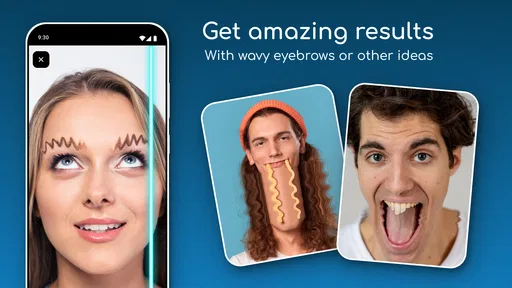
This is where your creativity truly shines! Want to see what happens when you move your head just as the line passes your eyes? Or maybe create a split-second smile that stretches across your entire face? The possibilities are endless, and each scan can lead to hilarious results!
Features That Keep You Engaged
The app doesn't stop at just scanning. There are several features that make TIME WARP SCAN: Face Scanner a standout:
- Freeze Frame: Perfect for capturing that perfect moment of distortion to share with friends on social media.
- Multiple Scan Modes: Choose between horizontal and vertical scans to create different effects.
- Creative Challenges: The app often updates with fun challenges, encouraging users to try new things and explore the app’s full potential.
Why It's So Addictive
One thing that surprised me was how addictive this app can be. It's not just about creating funny faces but also about experimenting with angles, timing, and even lighting to get the coolest effects. Before you know it, you’ve spent an hour trying to perfect that perfect warp!
Another great aspect is the community around the app. Users love sharing their wackiest creations online, and it's fascinating to see the creative lengths some people go to. This sense of community adds an extra layer of enjoyment, as you’re not just creating for yourself but also contributing to an ever-growing gallery of warped wonders.
Everyday use and sensible expectations
A realistic use is a quiet moment at home: prop the phone securely, invite a family member to make one expression, and try the other scan direction for a contrasting result. That small setup makes the activity easier for someone who has limited hand control, though the person operating the app still needs to manage the device. For a child, I’d keep the session supervised and focus on silly, private experiments rather than encouraging them to post images publicly.
Compared with the usual camera filters, this is a narrower tool. A standard camera app is better for dependable photos, while a general editor is better when you want to crop, adjust color, or refine an image after taking it. The time-warp effect is the reason to open this app; it is not a substitute for those broader jobs. That trade-off is useful to know before installing it: its value is in the specific visual gag, not in having a large collection of photography tools.
The app is free to download, with in-app purchases listed from $0.99 to $99.99 per item. I’d treat any purchase as optional and decide whether the basic effect suits your routine before spending. It is rated for Everyone, has a 4.6 average from around 119 thousand ratings, and has been installed over 10 million times. Those figures suggest broad interest, but they do not tell me whether the effect will match your taste or whether the controls will suit your needs.
Choosing when to use it
It works best when you have enough time for a few imperfect takes and are sharing the moment with someone who enjoys being on camera. If you need a polished image quickly, are in a hurry, or find moving visual effects uncomfortable, skip the experiment and use a still-photo tool instead. Likewise, it is not ideal when a phone must remain steady in your hand or when the subject cannot comfortably follow a moving cue; a helper or a stable surface can reduce that friction, but cannot make the effect essential.
For a more inclusive tryout, let the person in front of the camera choose whether to move, observe, or operate the phone. Explain the scan direction before starting, keep the first attempt short, and stop if the motion feels unpleasant. These small choices make the activity easier to share without assuming that everyone has the same vision, dexterity, or comfort with being photographed.
Version, compatibility, and the final call
The app’s current version is 6.8.3.1, and it supports Android 8.0 and later. It was released on November 24, 2020. If you are deciding whether to try it, the practical questions are simple: does your device meet that Android requirement, do you want a deliberately distorted camera effect, and are you comfortable experimenting with movement? On iOS, check the app’s current compatibility information in the App Store before installing, since device support can vary.
My overall view is that TIME WARP SCAN: Face Scanner is a focused, low-pressure way to make odd portraits and share a laugh. Its simple concept is its strength, but that same narrow purpose means it will not replace a normal camera or a capable editor. I’d recommend it to people who like playful visual experiments and are happy to try several takes; I’d steer anyone seeking accessible, hands-free, motion-free, or professional photography tools toward a different option. ZipoApps has made an effect that is easy to understand, but the best experience still depends on comfortable framing, patient timing, and choosing a setting where everyone involved can take part on their own terms.
Pros
- User-friendly interface for smooth navigation.
- Real-time scanning with accurate results.
- Multiple filters for creative effects.
- Easy sharing options to social media.
- No in-app purchases for core features.
Cons
- Requires strong internet for optimal performance.
- Limited editing tools post-scan.
- Ads can disrupt user experience.
- Lacks advanced customization options.
- Some filters need improvement.
FAQs for TIME WARP SCAN: Face Scanner
What is the main function of the Time Warp Scan: Face Scanner app?
The Time Warp Scan: Face Scanner app uses a unique filter that creates a moving line across your screen, capturing images in a way that creates amusing distortions and effects. This allows users to warp their faces or objects for fun and creative photos or videos, making it popular for creating viral content on social media.
Is Time Warp Scan: Face Scanner safe to use on my device?
Yes, the Time Warp Scan: Face Scanner is safe to use. It requires camera access to function properly but does not collect or store personal data. It's always wise to download apps from official app stores and check the permissions to ensure your privacy and security are maintained.
Can I use Time Warp Scan: Face Scanner offline?
No, the app requires an internet connection to function properly. This is primarily for accessing the filter updates and sharing your creations directly on social media platforms. However, once you've captured your images or videos, you can save them to your device for offline viewing.
Are there any costs associated with using Time Warp Scan: Face Scanner?
The basic version of Time Warp Scan: Face Scanner is typically free to download and use. However, there may be in-app purchases or subscription options available for additional features or to remove ads. Always check the app's listing on your app store for the most current pricing information.
What devices are compatible with Time Warp Scan: Face Scanner?
Time Warp Scan: Face Scanner is available for both Android and iOS devices. It typically requires a modern smartphone with a front-facing camera and a recent operating system to ensure compatibility and optimal performance. Check the app's requirements in the app store to verify that your device is supported.


